
Sidekick · the edge · SK-01
One box per rig.
Nothing installed.
Sidekick taps the instrument video out and reads the screen, the same numbers and states your engineer reads. Nothing installed, nothing to re-qualify. It works on any vendor, even locked-down or air-gapped rigs and software from 2009.
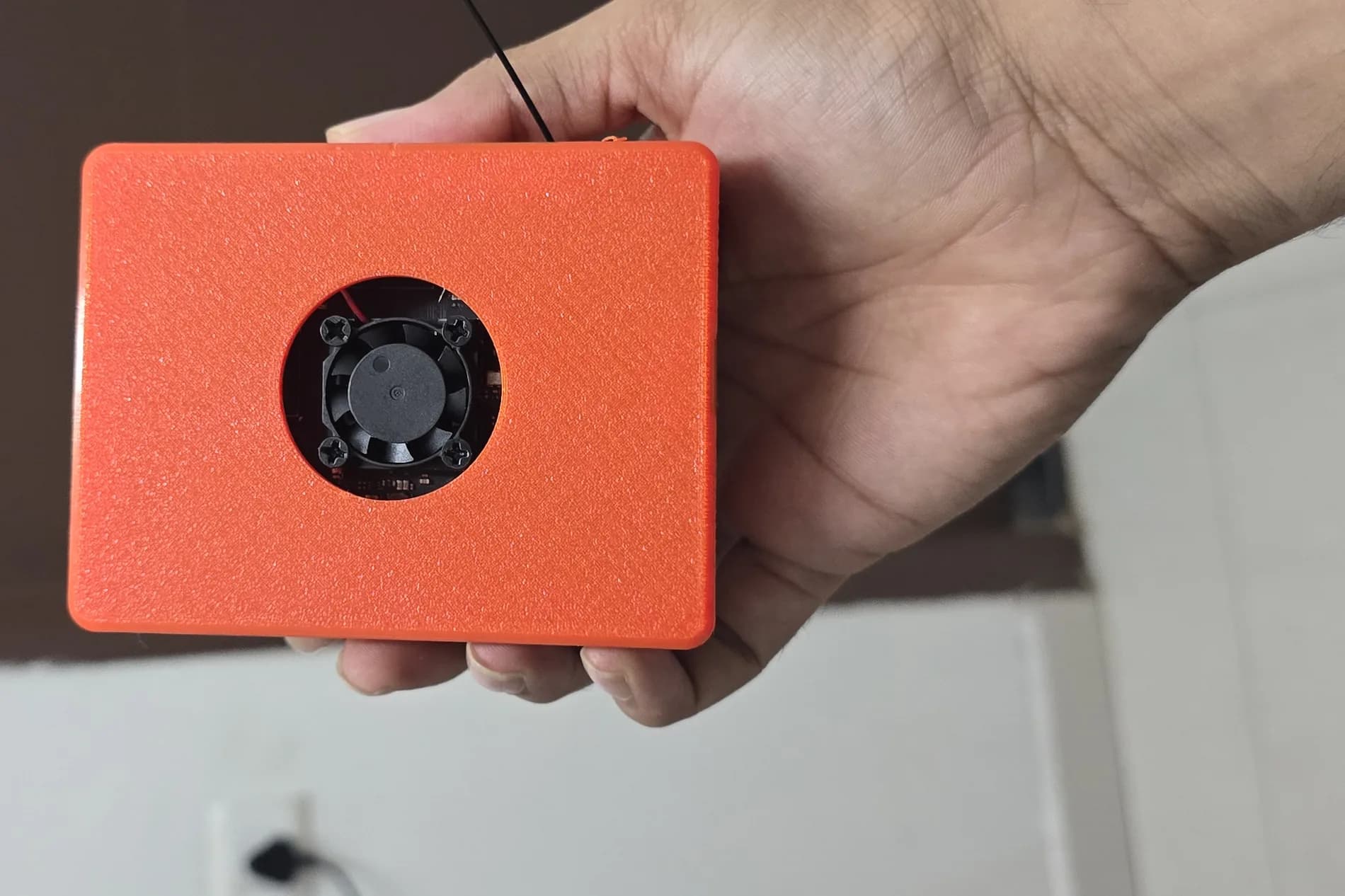
It goes on the rigs nothing else can reach.
The integration you were quoted for assumes the instrument wants to talk to you. Most of the ones that matter do not. They run vendor software on a machine change control will not let anyone touch, they have no API and no intention of getting one, and some of them are not on a network at all. Sidekick does not ask them for anything. It watches the screen the operator watches.
Screen-read · zero integration
The instrument video out, and nothing else. No SDK, no driver, no vendor cooperation, and nothing to install on a qualified setup.
Connect · what you can reachsoon
Passive taps and native connectors pull the signals you can: CAN, serial, RS-232 and RS-485, and telemetry streams. Read-only, so the wedge stays clean.
- In · Screen·
- In · CAN·
- In · Serial·
- In · RS-232/485·
- In · Telemetry·
- In · Voice
You tell it what matters. It shows you what it read.
A watch is a value on the screen and a rule about it. You point at the number, or describe it in plain English, and Sidekick drafts the rule.
Point, or just say it
Mark the region on the screen, or ask in plain English. It finds the number on the screen and drafts the rule for you.
Pick what kind of value it is
A number inside limits. Something that must keep changing. Something that must stay on screen. A reference to compare against. Or text. The kind is what makes the rule precise.
See the read-back before it saves
Before anything is stored, it shows you what it actually reads from that box on that screen. A misread is caught in the first second, not three weeks into a run.
A model is never asked to measure a value.
Deterministic code does the reading and the comparing. The model is only ever asked to find the line you meant. That is the whole architecture, and it is why a number on this system is a number rather than a guess.
Tell Sidekick what to watch
Plain English. It finds the value on screen, sets the rule, and shows you what it reads before anything is saved.
Try: let me know if the cycle stops changing for 20 minutes · alert if the test window disappears · tell me if it says FAULT
It shows you its blind spots, not just its watches.
Coverage you cannot see is coverage you cannot trust. Sidekick lists every value it can read on your screen and tells you which ones have nothing watching them.
Every readable value on the screen, and which ones are unwatched. You see the gaps, not just the coverage.
One click turns a blind spot into a watch. No config file, no scripting, no ticket to us.
Every alert quotes what it saw and why it fired. Nothing to take on faith.
Your gaps, visible, in your hands and not ours.
Coverage
3 / 3128 values on this screen have nothing watching them. A change to them would pass unnoticed, because the screen diff cannot see a text-only change. Click one to watch it.
- CELL 7+
- Bay 3+
- DUT+
- profile EP-440+
- channel 7+
- of 16+
- operator unattended+
- deg PACK+
- CURRENT -12.406+
- LIMIT 85.0+
- deg COULOMB+
- COUNT 18422.71+
- CYCLE 1184+
- / 2000+
- / DCIR+
- AMBIENT 23.4+
- 00:41:07 CHAMBER+
- SETPOINT 25.0+
- value 37.2+
- % FAN+
- DUTY 64+
- value 91.8+
- % CONTACTOR+
- step 1184+
- begin CC-DISCHARGE+
- per EP-440+
- within 0.2+
- at 1+
Its console.
Every Sidekick serves its own page. Open it in a browser on the same network and you are configuring that rig. No SSH, and nothing to install on your machine.
Set it up
Identity, capture, what it reads, alerts and storage, with a live change-score meter to tune against. Every field shows where its value came from and whether an edit reaches the running box or waits for a restart.
Watch this rig
The live view, what it is reading right now, and the watches you have drawn against it.
Read its history
What happened on this rig and when, with the snapshot from the moment it happened. It survives a reboot.
CELL 7 · Cycler Bay 3 · DUT #B22
Endurance profile EP-440 · channel 7 of 16 · operator: unattended
14:02:11 step 1184 begin CC-DISCHARGE 12.400A cutoff 2.800V
14:21:48 balancing disabled for this step per EP-440
14:38:02 thermal soak stable, chamber within 0.2 degC of setpoint
14:41:07 logging at 1 Hz to /data/ep440/cell7/1184.csv
Drag a box around anything you want watched
Box name
The human label that appears in every alert.
Applies nowShipped default
Box id
Stamped onto every stored event. Changing it splits this box's history in two.
Needs restartShipped default
Rig anchor
Text that must be on screen for this to count as the right rig. Blank watches whatever is plugged in.
Applies nowShipped default
This is the lookout for one rig. The picture across every rig is Weave. See Weave.
When something trips, you know. Wherever you are.
Out of spec, stalled, faulted. The alert goes out of band, so it does not depend on anyone being at the bench or on the rig's own machine still being alive. It carries the snapshot from the moment it fired and what it saw.
Events stored
60
Alerts
11
Readings kept
9813
Watches
3
Incidents
no meaningful change for 20 minutes
What it sawAcknowledge7h ago · Warning · Escalated 3x · Unacknowledged
Notify
Email or a webhook into wherever your team already is.
Acknowledge
One tap, from the alert itself. The rig knows someone has it.
Escalate
If nobody takes it, it climbs to the next person on the ladder.
It reads. It does not interfere. Your data stays yours.
Read-only to start
No keystrokes into a qualified rig until you turn action on, per rig.
The screen and the signals, nothing else
No files, no network into your instrument.
Local-first
Capture lands on the box. Nothing leaves your network unless you send it.
Air-gap friendly
Works on isolated networks and on old software nothing can be installed onto.
Audit trail
Every Observation is timestamped and linked to the exact config and telemetry.
You set access and retention
Who can see what, and how long it is kept.
Local-first, air-gap friendly, yours.
When you are ready, it can act.soon
Every pilot starts read-only, and most stay there for a while. When a rig has earned it, you turn action on for that rig alone: advance the matrix on a pass, re-kick a sequence you have run a hundred times, stop a bench idling overnight for want of a keypress. It is off by default, it is per rig, and every action is logged.
What a pilot starts with.
The core ships today. The rest is the near-term roadmap you help shape.
Ships today
- Screen-read on any vendor
- Guided watches, with the read-back shown
- Rolling buffer
- Live fault and state alerts
- Acknowledge and escalate
- The on-box console: setup, live view and history
Soon, and you help shape it
- Bus and signal capture
- Voice and video
- Observations with context attached
- Gated action, per rig
About the box itself.
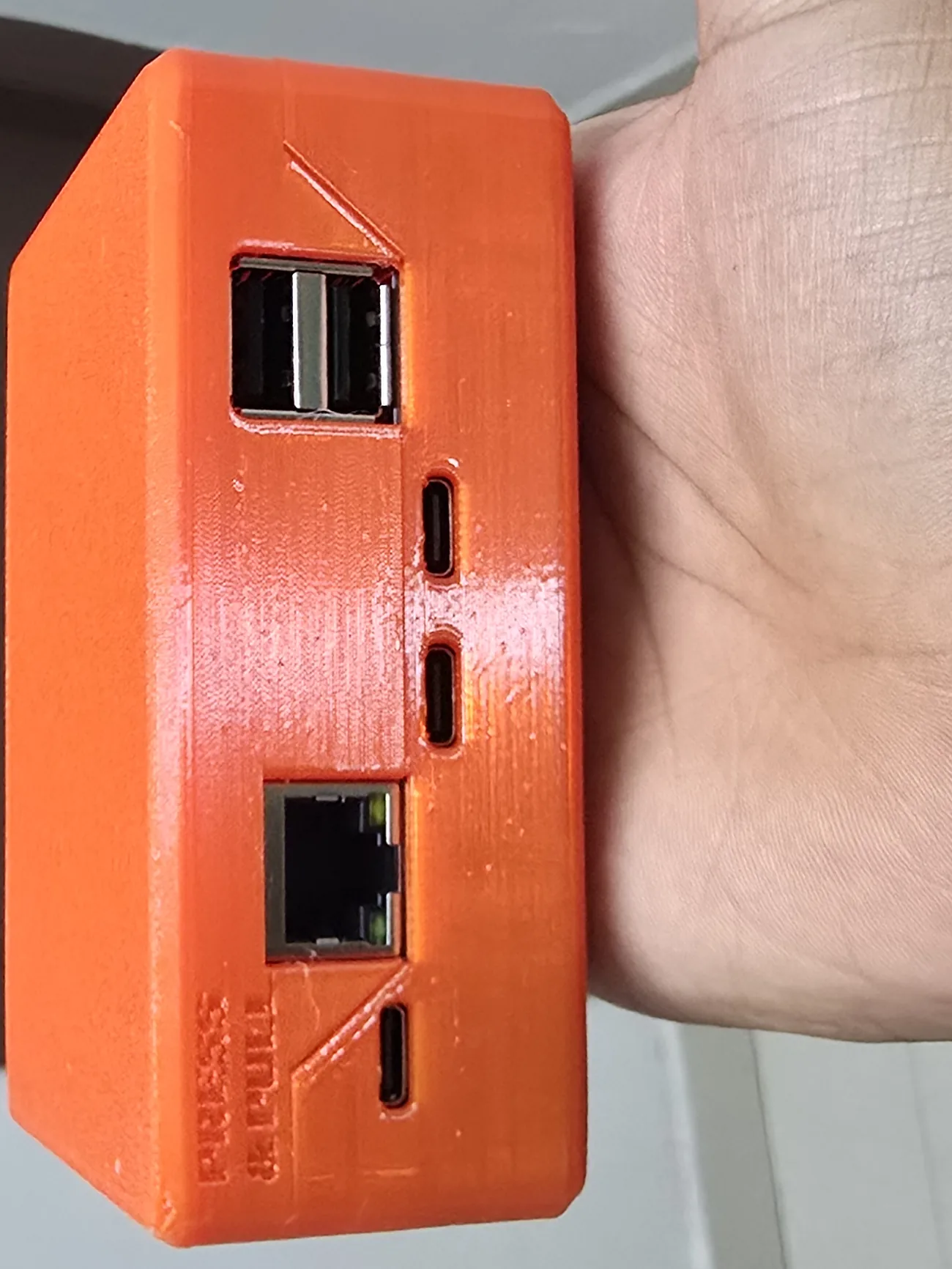
SK-01 is pre-production. The units on the bench today are 3D-printed and actively cooled. We will publish enclosure dimensions, weight and thermals when the production housing is fixed, and we will say what they were measured on.
Minutes, not a project.
Plug it in
The instrument video out into the box, and power in. Nothing goes on the test PC.
Open its page
A browser on the same network. No SSH, nothing to install on your machine.
Mark your first watch
Point at the value that matters and check the read-back.
Tell it where to shout
An email address or a webhook into the channel your team already watches.
One box is useful. The floor is the point.
Everything Sidekick sees streams to Weave on one correlated timeline, where it stops being one rig's business and becomes something the whole floor shares. That is where the second year costs less than the first.